Using Today and Dose Cycle
Understand the next-dose card, weekly calendar, Dose Cycle phase, Daily Insights, and Visual Progress shown on Today.
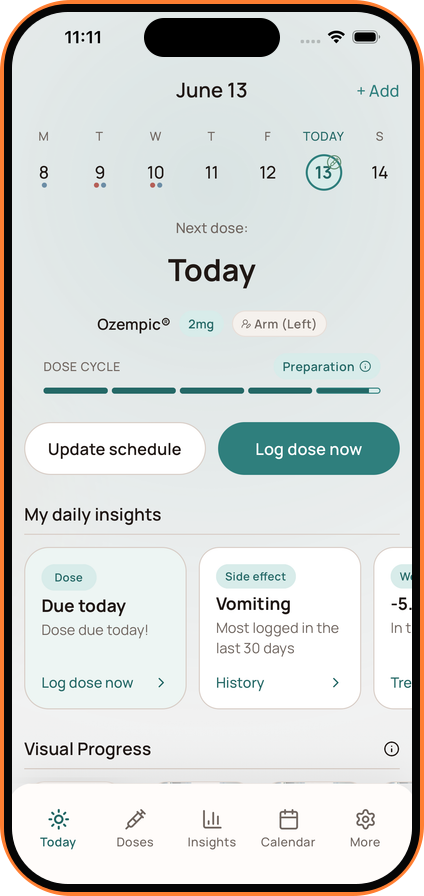
Today is the quickest way to orient yourself within the current routine.
Weekly Calendar
The calendar shows the current date and nearby dose activity. Tap a date when you want to review or add details for that day.
Next Dose
The next-dose card shows when the next scheduled dose is due, along with the medication and amount. Use Update Schedule if the prescribed routine has changed, or Log dose now when you take the dose.
Dose Cycle
Dose Cycle places the day within the broader medication rhythm. For supported routines, the phase label gives you a quick reference point such as preparation or dose timing.
Dose Cycle describes timing from the schedule and doses you have logged. It does not predict a symptom or recommend what you should do medically.
Daily Insights and Visual Progress
Scroll down to review Daily Insight cards and your Visual Progress timeline. What appears depends on the information you have chosen to track and the features available in your plan.