Insights & progress
Using Daily Insights and the Insights screen
Use Dosio for quick daily context, then review 30-day weight, side-effect, and estimated medication-level patterns in Insights.
Updated
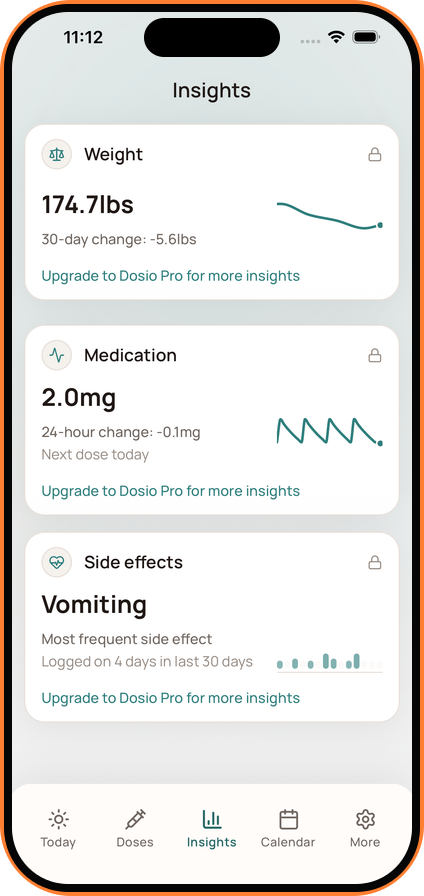
Dosio offers two levels of context: Daily Insight cards on Today and longer patterns on the Insights screen.
Daily Insight Cards
Depending on what you track, Dosio may show cards for dose timing, weight changes, medication level context, side effects, and other logged health signals.
The Insights Screen
The redesigned Insights screen can show:
- Weight: Recent weight and change across a 30-day period.
- Medication Level: The current educational estimate, recent change, and next scheduled dose.
- Side Effects: The symptom logged most frequently during the selected period.
Tap an available insight to open more detail. Some advanced views require Dosio Pro.
Weight Tracking
- Review recent change without treating one measurement as the whole trend.
- Dosio Pro adds longer-term and more detailed progress views.
Setting a Goal Weight
To set your target:
- Go to Settings > Visual Progress.
- Enter your target weight in the Weight Goal field.
- Tap Save. Your goal line will now appear on your weight charts as an extra reference point.
Medication levels are mathematical estimates based on the medication routine you log. They are not measurements and should not be used to make dosing or treatment decisions.