Reviewing and correcting dose history
Review every logged GLP-1 dose and safely correct the date, amount, injection details, or notes when the record is inaccurate.
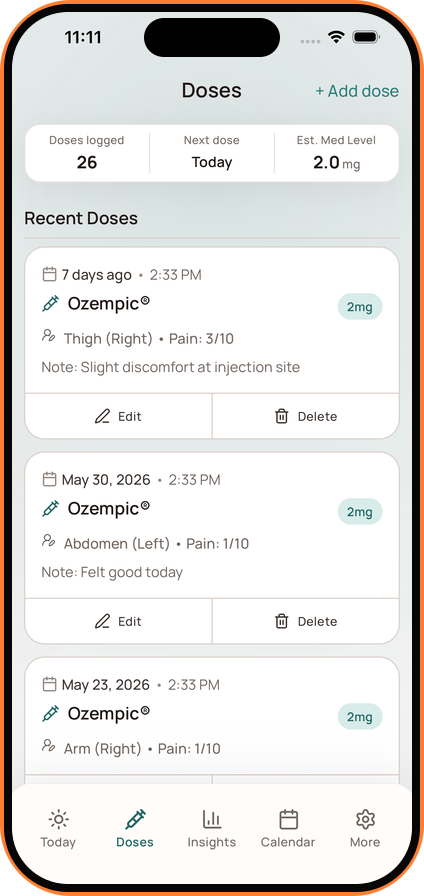
Open Doses from the main navigation to see the complete dose timeline.
What the Dose Screen Shows
The summary can show your logged-dose count, next scheduled dose, and estimated medication-level context. The history below includes each medication, amount, date, time, and any optional details you recorded.
For injectable doses, an entry can also show the injection site, pain score, and notes.
Edit an Entry
- Open the dose you want to correct.
- Tap Edit.
- Update the inaccurate field and save.
Delete an Entry
Use Delete only when the dose should not be part of the history. Deleting or changing a dose can update the next-dose context, Dose Cycle, medication estimate, and related Insights.
Editing the record does not change your prescribed treatment plan. Contact your healthcare professional if you are unsure how to handle an actual missed, delayed, or different dose.