Schedules & reminders
How to set up medication schedule
Set up an oral or injectable GLP-1 schedule in Dosio so your next dose, reminders, and timeline stay accurate.
Updated
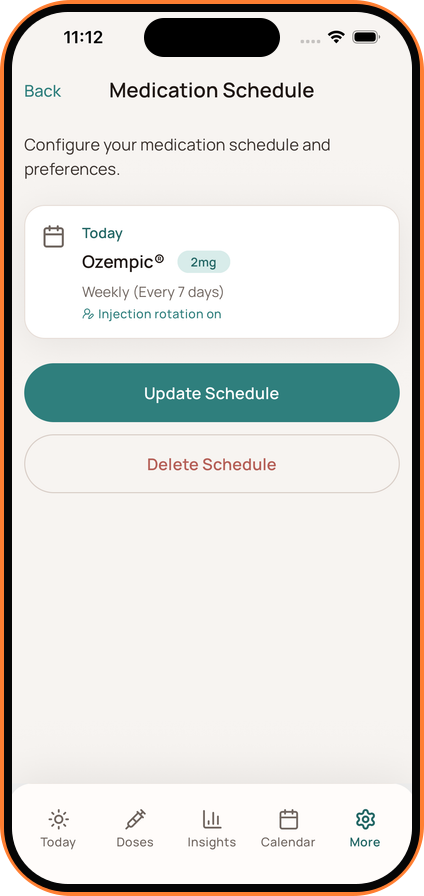
Open Medication Schedule
- Go to Settings and tap Medication Schedule.
- If you have not created a schedule yet, you can also start from the setup prompt on the Today screen.
Create or Update Schedule
- Tap Create Schedule (or Update Schedule if you already have one).
Enter Medication Details
- Medication: Select your medication or active ingredient.
- Form: Choose the oral or injectable option that matches how your medication is taken.
- Dose: Enter the prescribed amount and unit.
Configure Schedule
- Frequency: Select the interval that matches your prescribed routine, such as daily for a pill or weekly for an injection.
- Preferred Time: Set the time you prefer to take your dose. This determines when you'll receive reminders.
- Next Dose Date: Select the date of your next planned dose.
- Injection Rotation: For injectable schedules, choose whether you want Dosio to keep recent injection sites visible.
Save
Tap Save or Create to finish. Your schedule is now active, and you will see your next dose and dose cycle context on the Today screen.
You can return to Medication Schedule to update or delete the schedule. Dosio records the routine you enter and does not recommend a medication, dose, or schedule change.