Dose Tracking
Using the calendar and day details
Review doses, health metrics, and side effects together on a specific date or add information you recorded later.
Updated
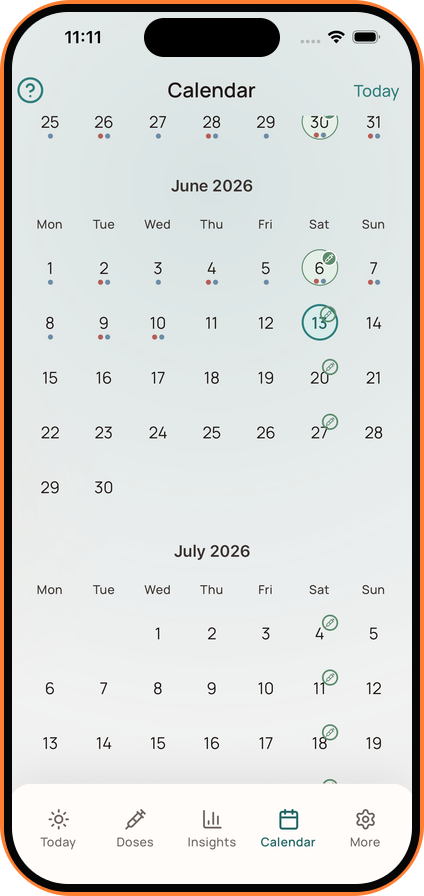
Open Calendar from the main navigation to review the routine by date.
Calendar Markers
Dates can show markers for logged doses, health metrics, or side effects. Future scheduled doses may also appear so upcoming timing remains visible.
Open Day Details
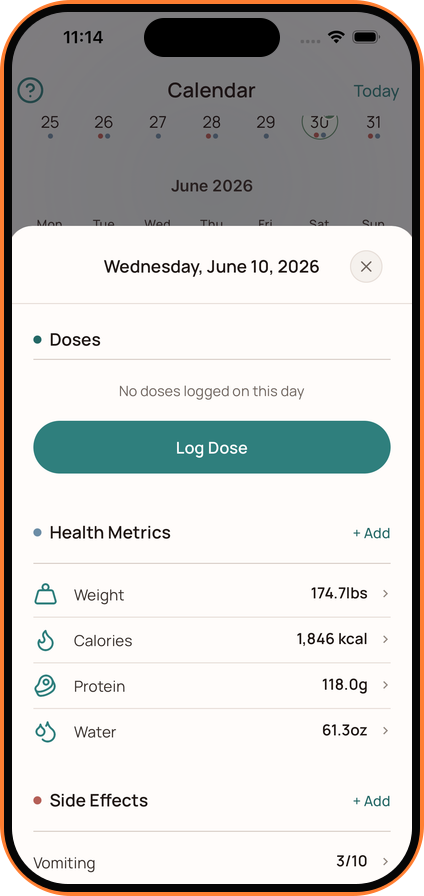
Tap a date to see the information connected to that day:
- Doses
- Weight
- Calories
- Protein
- Water
- Side effects and severity
Use the Add option beside a section to record something for the selected date. This is useful when you are entering a dose, metric, or symptom after it happened.
Keeping entries on the correct date helps the history and Insights reflect the sequence more accurately.